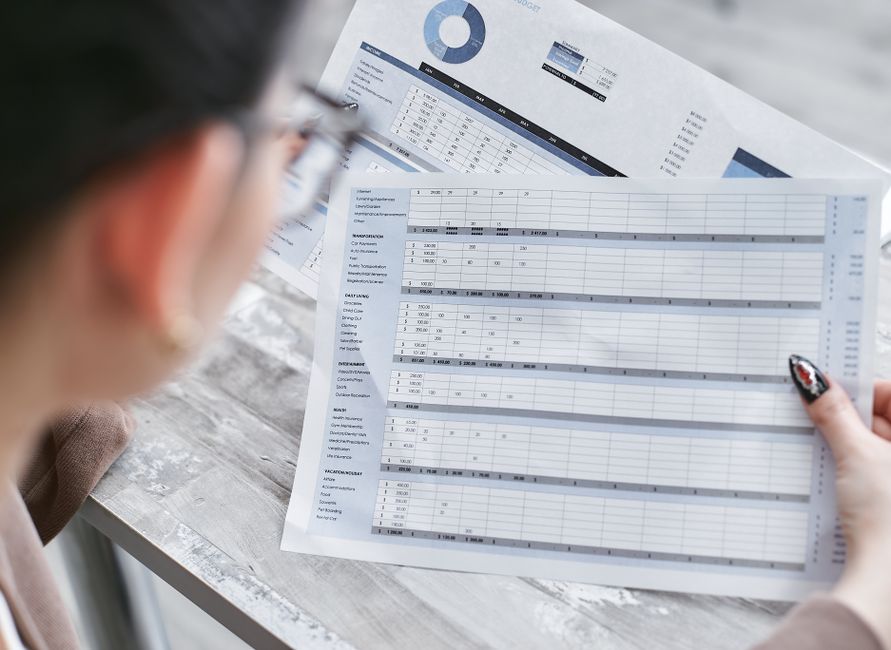
The self employment short page of the tax return, SA103S, asks for nine expense figures and one turnover figure. That is the entire output of a year of self employed bookkeeping. Every template, app and shoebox exists to produce those ten numbers, plus enough evidence behind them to survive a question from HMRC.
Most bookkeeping templates fail because their columns were designed by someone looking at a blank spreadsheet rather than at the form. You end up with a tidy record that needs re-sorting in January. What follows is the layout in the other direction: start from the boxes, work back to the columns.
The four records that make up a bookkeeping template
You need four, and only four. An income log, an expense log, a mileage log, and a monthly bank reconciliation. Everything else people add to templates (profit charts, VAT dashboards, cash flow forecasts) is analysis, not record keeping, and none of it is required by HMRC.
Record 1: the income log
Turnover goes in box 9 of the SA103S: "your turnover, the takings, fees, sales or money earned by your business". One number. To get to it defensibly, log every sale as it happens.
| Column | Example | Why it exists |
|---|---|---|
| Date of invoice | 14/05/2026 | Determines the tax year the income falls in under traditional accounting |
| Invoice number | 2026-041 | Sequential numbering is how you prove nothing is missing |
| Customer | Bright Lane Ltd | Needed to chase payment and to answer "who paid you £4,000 in May" |
| Description | Site survey, phase 2 | Evidence the income is trading income, not something else |
| Net amount | £1,850.00 | Feeds box 9 |
| VAT | £370.00 | Only if you are VAT registered. Leave the column in, blank, if you are not yet |
| Gross amount | £2,220.00 | What you expect to land in the bank. Used in reconciliation |
| Date paid | 02/06/2026 | Determines the tax year under cash basis, which is the default for sole traders |
The two date columns matter more than they look. Cash basis has been the default for sole traders since the 2024/25 tax year, which means income counts when the money arrives, not when you invoice. If you have opted into traditional accruals accounting instead, you tick box 8 on the SA103S and the invoice date is what counts. Keeping both dates means you can produce either figure without rebuilding the spreadsheet.
Box 10 is for any other business income not included in box 9. Grants, insurance payouts on business assets, and business bank interest tend to land here. Give them their own tab or flag them in a column, because they are the entries most often missed.
Record 2: the expense log, mapped to the SA103S boxes
This is the record that decides whether your January is calm or not. One column, "category", turns hundreds of rows into nine totals. Use exactly these nine values in the dropdown, worded to match the form.
| SA103S box | Category label on the form | What actually goes here |
|---|---|---|
| 11 | Costs of goods bought for resale or goods used | Stock, materials, direct subcontractor costs on a job |
| 12 | Car, van and travel expenses, after private use proportion | Mileage claim, train and bus fares, parking, business trip accommodation |
| 13 | Wages, salaries and other staff costs | Employee pay, employer NIC, pension contributions. Not your own drawings |
| 14 | Rent, rates, power and insurance costs | Workshop or studio rent, business rates, utilities, public liability insurance, use of home |
| 15 | Repairs and maintenance of property and equipment | Tool repairs, equipment servicing, premises maintenance |
| 16 | Accountancy, legal and other professional fees | Accountant, solicitor, bookkeeper, professional indemnity advice |
| 17 | Interest and bank and credit card financial charges | Business account fees, card processing fees, loan interest |
| 18 | Phone, fax, stationery and other office costs | Mobile business use, broadband business use, software subscriptions, postage |
| 19 | Other allowable business expenses | Trade subscriptions, protective clothing, training that maintains existing skills. Client entertaining is explicitly not allowable |
| 20 | Total allowable expenses, total of boxes 11 to 19 | The single figure you can use on its own if turnover was under £90,000 |
The row-level columns are: date, supplier, description, amount, category (from the nine above), business use percentage, payment method, and receipt reference. The business use percentage column is the one people leave out and then regret. A £45 phone bill at 60% business use is a £27 deduction, and the working needs to live next to the number, not in your head.
Two categories deserve their own note. Capital purchases do not belong in boxes 11 to 19 at all. A £3,000 machine goes into the capital allowances section, boxes 23 to 25.2, most often through the Annual Investment Allowance in box 23. Put them on a separate tab so they do not silently inflate your expenses. And goods you take for personal use come back the other way, in box 27, which is why the expense log needs the business use column rather than a yes/no flag.
If your turnover was under £90,000 you are allowed to put one figure in box 20 and leave boxes 11 to 19 empty. Categorise anyway. It costs you a dropdown selection per row, and it means that if turnover crosses £90,000 and moves you onto the SA103F full page, which splits expenses across boxes 17 to 30 in more detail, you already have the data.
Record 3: the mileage log
Simplified expenses let you claim a flat rate per business mile instead of tracking the real cost of running the vehicle. The rates changed at the start of the current tax year.
| Vehicle | 2025/26 | From 6 April 2026 |
|---|---|---|
| Car or van, first 10,000 business miles | 45p per mile | 55p per mile |
| Car or van, above 10,000 business miles | 25p per mile | 25p per mile (no change) |
| Motorcycle | 24p per mile | 24p per mile (no change) |
| Bicycle | 20p per mile | 20p per mile (no change) |
The log itself is five columns: date, start point, destination, reason for the trip, business miles. The reason column is the one HMRC cares about, because "Leeds to Sheffield, 38 miles" proves nothing on its own and "Leeds to Sheffield, site visit for Bright Lane Ltd, 38 miles" proves everything. A running total column that applies 55p to the first 10,000 miles and 25p thereafter gives you the box 12 figure directly.
Once you have chosen the flat rate for a vehicle, you must keep using it for that vehicle for as long as you have it, and you cannot claim capital allowances on it.
Check if and when MTD applies to you
Skip the spreadsheet. Tell us about your situation and a specialist will review your position and the next sensible step, with no obligation.
Record 4: the monthly bank reconciliation
This is a checklist rather than a table, and it takes about twenty minutes a month.
- Export the business bank statement for the month to CSV.
- Match every money-in line to a row in the income log. Unmatched money in is either missing income or a personal transfer, and you need to know which.
- Match every money-out line to a row in the expense log. Unmatched money out is usually a direct debit or subscription nobody logged.
- Check the closing balance on the statement against the closing balance your logs imply. They should agree to the penny.
- Flag any cash transactions that never touched the bank account, and confirm they are in the logs.
- File the month's receipts, digital images are fine, and tick that every expense row has a receipt reference.
If you run business spending through a personal account, reconcile that account too and mark the personal rows as out of scope. Mixed accounts are legal but they roughly double this job, which is the practical argument for a separate business account rather than any legal requirement.
When a spreadsheet stops being enough
There are three trigger points, and only one of them is about size.
Making Tax Digital for Income Tax. MTD for Income Tax started on 6 April 2026 for sole traders and landlords whose qualifying income exceeded £50,000 in the 2024/25 tax year. From 6 April 2027 the threshold falls to £30,000, tested on 2025/26 income. From 6 April 2028 it falls to £20,000, tested on 2026/27 income. Qualifying income is gross self employment and property income combined, before expenses. Once you are in scope you must keep digital records and file quarterly updates through compatible software. A spreadsheet can survive this, but only wired to bridging software that does the filing, and at that point you are maintaining two tools instead of one.
VAT registration. Compulsory once taxable turnover passes £90,000 on a rolling 12 month basis. VAT has been inside Making Tax Digital for years, so registration ends the spreadsheet-only era immediately. You also need to track VAT on every line rather than gross amounts, which is a structural change to the income and expense logs, not just an extra column.
Staff or stock. Taking on an employee means running payroll under RTI, with submissions on or before each payday. Holding stock means the box 11 figure depends on opening and closing stock values rather than what you spent, which is a calculation a flat expense log cannot do. Either one is a better reason to move to software than turnover ever is.
Below all three triggers, a well built spreadsheet is genuinely adequate, and HMRC has never required otherwise for a self employed person outside MTD.
Where to get the templates
We publish these as free PDFs with no email capture: a monthly expense tracker and business mileage log sit alongside an invoice template and an MTD for Income Tax quarterly checklist. The mileage log runs the AMAP calculation at the current rates. Print them, or use them as the column specification for your own spreadsheet.
If you want to see what the finished numbers mean before you build anything, our calculators will take a profit figure and show the income tax and Class 4 NIC that follows from it. For 2025/26, Class 4 runs at 6% between £12,570 and £50,270 and 2% above, and Class 2 is no longer a compulsory charge, though you can pay it voluntarily via box 36 if your profits are under £6,845 and you want to protect your contribution record.
The five minute weekly habit
The template is not the hard part. Filling it in is. The version of this that works is a fifteen minute slot in the same place every week: photograph the week's receipts, enter them with categories, log the week's mileage, mark off invoices that got paid. Four of those, then a twenty minute reconciliation, and the month is closed.
The alternative, which is what most people do, is nine hours in the third week of January reconstructing a year from bank statements. That version costs you real money, because the expenses you cannot reconstruct are deductions you do not claim.
More on the record keeping rules and deadlines sits in our bookkeeping and compliance section, and the quarterly filing mechanics are covered under VAT and Making Tax Digital. If you are still deciding how to report, start with sole trader and self employment.
If you would rather hand the whole thing over than maintain it, get in touch and we will tell you what it would cost to run.